
LM Studio Headless on Linux: llmster, lms and systemd
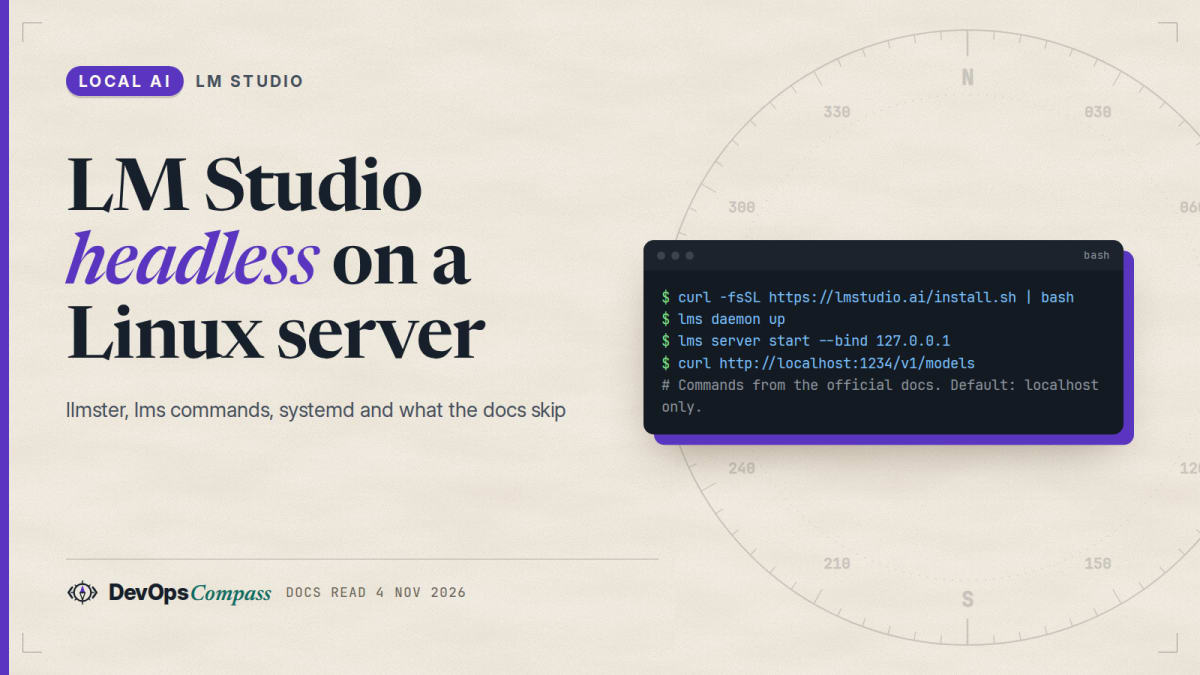
Short answer: to run LM Studio on a server with no screen, install llmster, the GUI-free daemon, with curl -fsSL https://lmstudio.ai/install.sh | bash, then run lms daemon up and lms server start. The API listens on port 1234 and, by default, only on 127.0.0.1. The docs give a systemd unit for boot. The part the docs skip: API tokens are switched on in the app's settings, and we found no command-line switch, so a server you expose with --bind 0.0.0.0 has no key unless you set one up elsewhere first.
How this article was made: a compilation of the LM Studio docs, the installer script (read, not run), GitHub issues from 2026 and Hacker News comments, read on 4 November 2026. The only thing we ran is a syntax check of the systemd units below. We did not install LM Studio or run a model. Advice and ordering are our opinion.
If you searched "lm studio headless linux", "lms server start" or "lm studio api key local", you want a model server on a box without a desktop, reachable from your laptop or your tools. The facts exist, but they sit on three docs pages and a few open GitHub issues. This guide puts them in order and says where the documentation stops.
Official facts
What is llmster and how is it different from the desktop app?
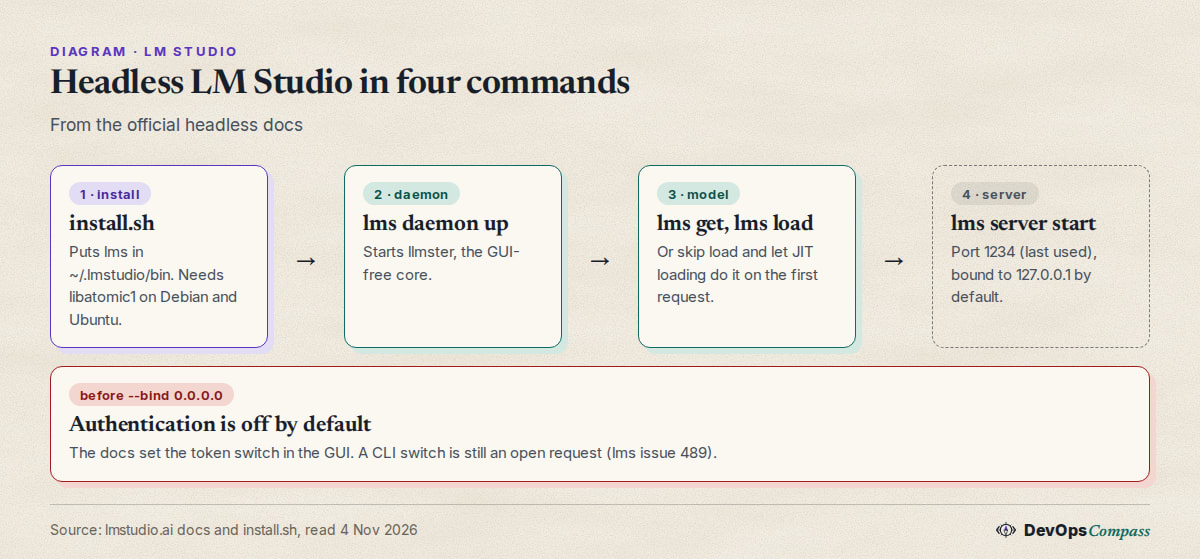
The headless docs describe two ways to run LM Studio as a background service. The recommended one is llmster, "a standalone daemon, no GUI required". The docs say it is the core of the desktop app, packaged to be server-native, and that it runs on Linux boxes, cloud servers and GPU rigs. The other way is the desktop app in headless mode: you tick "run the LLM server on login" and closing the window sends the app to the tray while the server keeps running. That is for machines that already have a desktop.
The command line tool is lms. It is MIT licensed and its source is on GitHub. The lms docs list the commands you need on a server: lms get, lms ls, lms ps, lms load, lms unload, lms server, lms daemon and lms runtime.
One naming point to avoid confusion: in mid-2026 LM Studio also launched Bionic, an agent app (Hacker News thread). Bionic is a separate desktop product that can use LM Studio for local inference. It is not needed on a server, and several GitHub reports below are about Bionic, not llmster. We say so where it matters.
How do I run LM Studio headless on a Linux server without a GUI?
The docs give one line for Linux and macOS:
curl -fsSL https://lmstudio.ai/install.sh | bash
Piping a script into a shell deserves a look first, so we read it (we did not run it). On 4 November 2026 it was installer version 0.0.27-1 and it does this:
- It downloads an archive from
llmster.lmstudio.aifor your platform and unpacks it into~/.lmstudio/bin(or~/.cache/lm-studio/bin). - It adds that directory to your shell profiles, unless you pass
--no-modify-pathor setLMS_NO_MODIFY_PATH. - On Linux it needs
ldconfig,curlorwget,tarand thelibatomiclibrary. Iflibatomicis missing it stops and printssudo apt-get install -y libatomic1for Debian and Ubuntu, or thednfequivalent.
That last point is the most common reason a first install on a minimal server fails, and the installer's own message tells you the fix. After it finishes, open a new shell (or source your profile) so lms is on your PATH, then run:
lms daemon up
lms get openai/gpt-oss-20b
lms load openai/gpt-oss-20b
lms server start
curl http://localhost:1234/v1/models
These are the commands from the docs' Linux startup page. lms daemon up starts llmster and prints the PID; with --json it returns something like { "status": "running", "pid": 26754, "isDaemon": true, "version": "0.4.4+1" } (the docs' example). lms get accepts a quantization after an at sign, such as llama-3.1-8b@q4_k_m, and --gguf or --mlx filters the format.
Before loading a large model, the docs offer lms load --estimate-only <model>. It prints an estimate of GPU and total memory and exits. The docs' example, for gpt-oss-120b, shows about 65.68 GB. That number is the docs' example output, not ours.
How do I change the port or listen on 0.0.0.0 for other machines?
The lms server start page lists three flags:
| Flag | What it does | Default |
|---|---|---|
--port |
Port to listen on | the last used port (examples show 1234) |
--bind |
Network address; 0.0.0.0 means all IPv4 interfaces |
127.0.0.1; also settable with the LMS_SERVER_HOST environment variable |
--cors |
Enables CORS for browser apps | off |
The docs add warnings for both --bind and --cors: any bind other than 127.0.0.1 "exposes the server beyond localhost", and they recommend enabling authentication. lms server status --json returns { "running": true, "port": 1234 } for scripts.
Can I require an API key on a headless server?
This is the gap. The authentication page says LM Studio supports API tokens (version 0.4.0 or newer) and that "by default, LM Studio does not require authentication". You turn it on with a switch in the Developers page, under Server Settings, and you create tokens in a "Manage Tokens" window. The token is shown once. Clients then send Authorization: Bearer <token>.
Every step in that description is a click in the app. On a server with no desktop, there is no documented command for it. A user opened lms issue 489 on 2 March 2026 titled "lms server start: Auth required not possible". They wrote that with lms daemon up and lms server start on a remote Linux server, the API is exposed without authentication unless the setting was toggled in the GUI before. The issue is still open on 4 November 2026. Simon Willison commented that he wanted it for the same reason: a CORS-enabled server on a laptop that any website could otherwise call. In August 2026 another request added that creating a token and enforcing authentication are separate actions, so it is possible to create a token while the server still accepts unauthenticated requests.
What this means in practice, from the docs and those reports:
- The authentication switch is part of the server settings that the daemon restores. The docs say your last server state is saved and restored on launch, but they do not say where it is stored or how to set it without the app. We could not confirm a way to do it headless.
- Treat a headless server as keyless unless you have verified otherwise. Check with
curlfrom a second machine without a token. - Keep the default
127.0.0.1bind and reach it through an SSH tunnel, or put a proxy that checks a key in front of it. Our nginx and API key guide for Ollama shows the pattern (a Bearer check, HTTPS, buffering off for streaming); point its upstream at127.0.0.1:1234. We did not run that setup against LM Studio.
How do I start LM Studio on boot with systemd?
The docs page gives this unit, to save as /etc/systemd/system/lmstudio.service. We kept it as the docs have it; replace YOUR_USERNAME with your user:
[Unit]
Description=LM Studio Server

[Service]
Type=oneshot
RemainAfterExit=yes
User=YOUR_USERNAME
Environment="HOME=/home/YOUR_USERNAME"
ExecStartPre=/home/YOUR_USERNAME/.lmstudio/bin/lms daemon up
ExecStartPre=/home/YOUR_USERNAME/.lmstudio/bin/lms load openai/gpt-oss-20b --yes
ExecStart=/home/YOUR_USERNAME/.lmstudio/bin/lms server start
ExecStop=/home/YOUR_USERNAME/.lmstudio/bin/lms daemon down

[Install]
WantedBy=multi-user.target
Then sudo systemctl daemon-reload, sudo systemctl enable lmstudio.service and sudo systemctl start lmstudio.service, and check with systemctl status lmstudio and curl http://localhost:1234/v1/models.
Why Type=oneshot with RemainAfterExit=yes? The three lms commands start background processes and return. A oneshot unit is "active" after they exit, and ExecStop runs lms daemon down when you stop it. The docs also say you can skip the lms load line and rely on just-in-time loading instead.
Two changes are our opinion, not the docs: add After=network-online.target and Wants=network-online.target so a LAN bind happens after the network is up, and drop the lms load line if you want JIT loading (next section). Our variant:
[Unit]
Description=LM Studio Server (llmster)
After=network-online.target
Wants=network-online.target

[Service]
Type=oneshot
RemainAfterExit=yes
User=YOUR_USERNAME
Environment="HOME=/home/YOUR_USERNAME"
Environment="LMS_SERVER_HOST=127.0.0.1"
ExecStartPre=/home/YOUR_USERNAME/.lmstudio/bin/lms daemon up
ExecStart=/home/YOUR_USERNAME/.lmstudio/bin/lms server start --port 1234
ExecStop=/home/YOUR_USERNAME/.lmstudio/bin/lms daemon down

[Install]
WantedBy=multi-user.target
What we checked: we ran systemd-analyze verify (systemd 249) on both units, with a stub lms script in place of the real one. It printed warnings about other units on our host, none about these two files. That is a syntax check only. We did not start the daemon, so we cannot say how lms daemon up behaves under systemd.
How does model loading work: JIT, TTL and auto-evict?
The headless page and the TTL page describe the defaults:
- JIT loading is on by default. With it on,
/v1/modelslists every downloaded model, and a request for a model that is not in memory loads it. With it off,/v1/modelslists only loaded models and you mustlms loadfirst. - Idle TTL is 60 minutes for JIT-loaded models. You can set
ttl(seconds) in a request body. - Models you load with
lms loadhave no TTL unless you pass--ttl. They stay in memory until you unload them. - Auto-evict is on by default. At most one JIT-loaded model stays in memory; loading another unloads the first. Models loaded by hand are not affected.
lms load also takes --gpu (a value from 0 to 1, off or max), --context-length and --identifier. Our Ollama context length guide explains why a large context length multiplies memory use; the same reasoning applies here.
What the headless docs do not cover
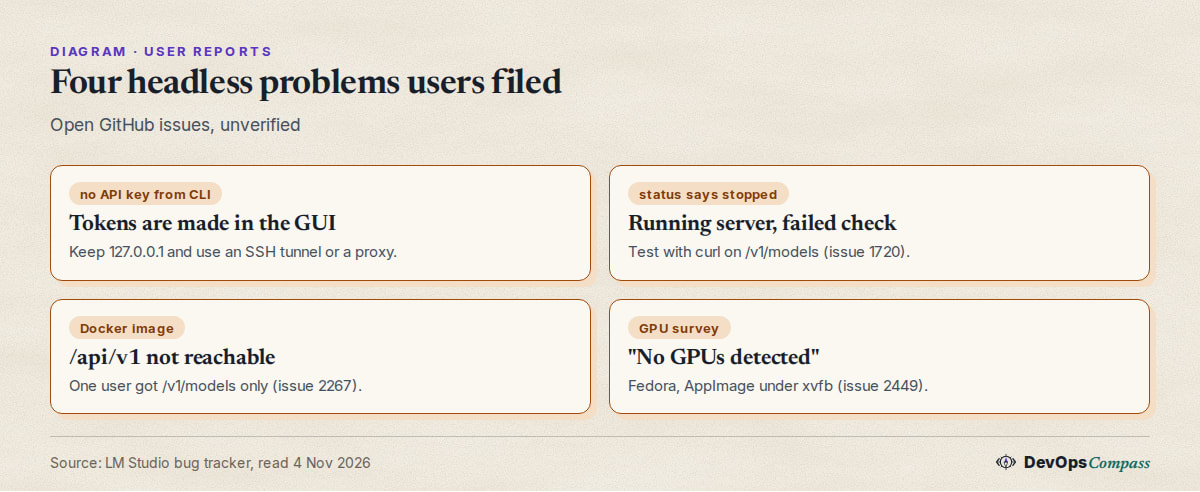
The official pages stop at "it works". The next five sections answer questions that appear in the issue tracker and have no clear answer in the docs. All of them are user reports, read on 4 November 2026 and not verified by us.
Why does lms say the server failed to start when it is running?
In issue 1720 (April 2026, LM Studio 0.4.8 on Ubuntu), a user ran lms server start --bind 0.0.0.0 --port 1234 and got "Failed to verify the server is running. Please try to use another port." The server was running: curl http://localhost:1234/v1/models returned the model list and other machines could connect. But lms server status said it was not running. The issue is still open.
The lesson is cheap: do not trust the exit message alone. After any start, run curl http://localhost:1234/v1/models on the host and, if you bound to the network, from a second machine. If you script startup, check the curl, not lms server status.
Is there a Docker image for headless LM Studio?
Yes, an official one exists on Docker Hub: lmstudio/llmster-preview, described as "Headless LM Studio Docker Image". On 4 November 2026 its tags were latest (last pushed 28 August 2025) and cpu (18 September 2026), and the page showed about 33,000 pulls. The name says "preview", and we found no page in the LM Studio docs describing it.
A user reported in issue 2267 (August 2026, CLI 0.0.47) that with the cpu and latest images the /api/v1/chat endpoint did not work, and /api/v1/models was not reachable, though /v1/models was. They had loaded a model with lms load and started the server with lms server start --port=8443 --cors, and said the same app worked outside a container. The logs show "Unexpected endpoint or method. (GET /api/v1/chat)", which is a GET against a POST endpoint, so read that report with care. We did not pull or run the image. If you want a container today, test /v1/models first, then the native REST route you need.
Why does a headless GPU box show "No GPUs detected"?
Issue 2449 (September 2026) describes a fresh Fedora 43 Server install with NVIDIA driver 580.173.02 and two RTX 5060 Ti cards. The user ran the desktop AppImage headless under xvfb, not llmster. lms runtime survey reported "No GPUs detected", and lms load failed with an error about pullReport. The user said the bundled llama.cpp CUDA engine, launched directly, loaded models across both GPUs normally, so the failure was in the hardware survey step. The issue is open.
Whether llmster from install.sh behaves the same is not shown by that report. If lms load fails on a GPU server, lms runtime survey is the first thing to run, and attaching its output to a report helps maintainers. For a general GPU checklist on another tool, see our Ollama GPU guide.
Why does the LAN bind stop working after an update?
Issue 2500 (October 2026, Bionic 1.1.8 on Windows) reports that after an update the API stopped answering on the LAN. The cause the user found: Bionic wrote its own server configuration with networkInterface set to 127.0.0.1, while the shared LM Studio file had 0.0.0.0. Bionic's UI let them change the port but not the bind address, and they fixed it by editing the Bionic config file after quitting the app.
That is a Windows desktop report, not a Linux llmster one. It is still a useful check for any server: after every update, repeat the curl from a second machine. A related issue, 1704, says "Serve on local network" bound to a VPN adapter instead of the LAN adapter on Windows.
Why is the model unloaded or reloaded?
Two behaviours explain most surprises. First, the 60-minute idle TTL for JIT-loaded models: after an hour with no requests the model leaves memory and the next request pays the load time. Second, issue 2533 (October 2026, Windows, LM Studio 0.4.26): with JIT loading and "keep only last JIT loaded model" on, a request to /api/v1/chat that includes context_length reloaded the model every time, even when it was already loaded with that length. The user saw the model name alternate between name and name:2, and leaving context_length out stopped the reloads. If your first request after idle is slow, that is the TTL. If every request is slow and you pass context_length, remove it from the request and set it once with lms load --context-length instead. We have not reproduced this.
Does Claude Code work against llmster?
LM Studio has an Anthropic-compatible /v1/messages endpoint, and people point Claude Code at it. A Hacker News submission from April 2026 is titled "Running Gemma 4 locally with LM Studio's new headless CLI and Claude Code" (thread). But issue 2204 (July 2026) says the standalone llmster 0.0.20-1 on macOS rejected a system role inside the messages array with a 400 error, which breaks Claude Code, and that the desktop app had fixed this in 0.4.15. The report says the fix was not in llmster at that time. The installer we read is a newer version (0.0.27-1), and we did not check whether it is fixed. Test with a one-line curl from the issue before you build a workflow on it.
What users report
These are attributed reports, read on 4 November 2026. We did not verify them.
- The headless flow is liked. On the April 2026 Hacker News thread, bicepjai wrote that running the LM Studio headless server on a remote machine and controlling models from a laptop is "an amazing workflow", but that Gemma 4 looped on tool calls on a "find the largest text file" task even at Q8 (comment 47691754).
- Authentication from the CLI is the most asked-for gap. lms issue 489 has 11 comments, several of them plus-ones from March and April 2026, and the idea of an
--authflag with a token is repeated. Issue 2292 asks for the effective server configuration to be printable. - Server verification is unreliable in places. Issue 1720 shows a start command that reports failure while the server answers; issue 2267 shows the Docker image answering
/v1/modelsbut not/api/v1routes. - Updates sometimes get stuck on ownership. In late October and early November 2026, users reported that "Restart to apply update" failed with "Canonical inference state is managed by LM Studio or is changing ownership" on Linux AppImage and macOS. A third report (issue 2485) says a Bionic update broke
lmswhen LM Studio was not installed. These concern the desktop apps; we found no llmster report with the same error. - Trust and licensing questions. On the Bionic launch thread a commenter reminded readers that both LM Studio and Bionic are closed source (comment), which matters if you want to audit a server component. The
lmsCLI is MIT licensed, per the docs.
Our take
This is opinion, based on the docs and reports above:
- Use llmster for servers, the desktop app for desktops. The docs recommend it, and it avoids the update and ownership reports that come from the desktop apps.
- Keep
127.0.0.1and tunnel.ssh -L 1234:127.0.0.1:1234 you@servergives your laptop a private port 1234 with no new listener on the server. It is the cheapest answer to the missing CLI API key. (Standard SSH; not run against LM Studio.) - If you must bind to the LAN, verify auth first. Turn the token switch on in the app once, or use a proxy that checks a key, and curl from a second machine without a token before you trust it. Never combine
--corswith an open bind. - Prefer JIT loading for tools,
lms loadfor one fixed model. JIT is simpler for editors that switch models; a fixedlms loadwith a long--ttlavoids load delays for an always-on service. - Pin and watch your versions. Most issues above are under a month or two old and open. Write down the output of
lms daemon up --jsonand re-run yourcurlchecks after each update. - Pick another tool if you need built-in keys today. llama.cpp's server has an API key flag (see our llama-server install and API key guide), and our vLLM, Ollama and llama.cpp comparison lays out the trade-offs. LM Studio's strength is the easy model download and the same engine as the desktop app.
What we did not test
- We did not install llmster or LM Studio, run
install.shor load a model. The installer was read, not executed. - The only check was
systemd-analyze verifyon two unit files with a stublms. We did not start a daemon, so boot behaviour andRemainAfterExithandling are the docs' claims. - We did not test authentication from the CLI. The statement that we found no CLI switch comes from the docs and open issues; a newer build may have one.
- All GitHub and Hacker News reports are unverified and may be fixed. Several are about Bionic or the desktop app, not llmster.
- We did not pull the Docker image, test the Anthropic-compatible endpoint, measure speed or memory, or try the SSH tunnel and proxy ideas against LM Studio.
FAQ
How do I run LM Studio headless on Linux?
Install llmster with curl -fsSL https://lmstudio.ai/install.sh | bash, make sure libatomic1 is installed, then run lms daemon up, load a model with lms load (or rely on JIT loading) and start the API with lms server start. Check it with curl http://localhost:1234/v1/models.
How do I make lms server start listen on other machines?
Run lms server start --bind 0.0.0.0, or set LMS_SERVER_HOST. The default is 127.0.0.1. The docs warn that any other bind exposes the server and recommend authentication, which has no documented command-line switch.
Does LM Studio have an API key for a headless server?
It has API tokens (0.4.0 or newer), off by default, switched on in the app's Server Settings. We found no CLI command for it, and an open request asks for one. Keep the bind on localhost or use a proxy until you have verified a keyed setup.
How do I start LM Studio on boot?
On a Linux server without a desktop, use the docs' systemd unit: a Type=oneshot service with RemainAfterExit=yes that runs lms daemon up, optionally lms load, then lms server start. On a desktop, tick "run the LLM server on login" in the app settings.
What port does LM Studio use?
Port 1234 in all the docs' examples. lms server start --port 3000 changes it, and without --port the command uses the last used port.
Is there a headless LM Studio Docker image?
Yes: lmstudio/llmster-preview on Docker Hub, with latest and cpu tags. It is labelled preview, and one user reported that some /api/v1 routes did not work in it. Check the routes you need before relying on it.
Is LM Studio or Ollama better for a headless server?
LM Studio gives you the same engine and model download as its desktop app, with lms for control. Ollama has a longer track record as a server and a clearer proxy story. Neither has a documented built-in key for a self-hosted server today; see our nginx guide for Ollama.
Related guides
- Ollama API guide: curl, Python, OpenAI endpoint, embeddings: the OpenAI-style requests also work against LM Studio's
/v1routes. - Ollama behind nginx with an API key: a proxy pattern for a server with no key of its own.
- llama-server guide: install, port and API key: a local server with a built-in key flag.
- vLLM vs Ollama vs llama.cpp: which one for a server?: where LM Studio fits among the options.
Sources
- LM Studio docs: headless mode, Linux startup task, lms server start, authentication, lms load, TTL and auto-evict (4 Nov 2026).
- Installer: lmstudio.ai/install.sh, version 0.0.27-1 (read, not run). CLI source: lmstudio-ai/lms. Docker Hub: lmstudio/llmster-preview.
- GitHub: lms 489; bug tracker 1704, 1720, 2204, 2267, 2292, 2449, 2485, 2500, 2533, 2561, 2567.
- Hacker News: headless CLI and Claude Code thread, Bionic launch thread.
- Google autocomplete suggestions for "lm studio headless", "lms server start" and "lm studio api key" (4 Nov 2026).
Last verified: November 2026 (4 November 2026; installer script 0.0.27-1). LM Studio changes quickly; check lmstudio.ai/docs.
Header image: Image: DevOpsCompass.
Comments
Post a Comment