
apt Could Not Get Lock lock-frontend: Fix It Safely
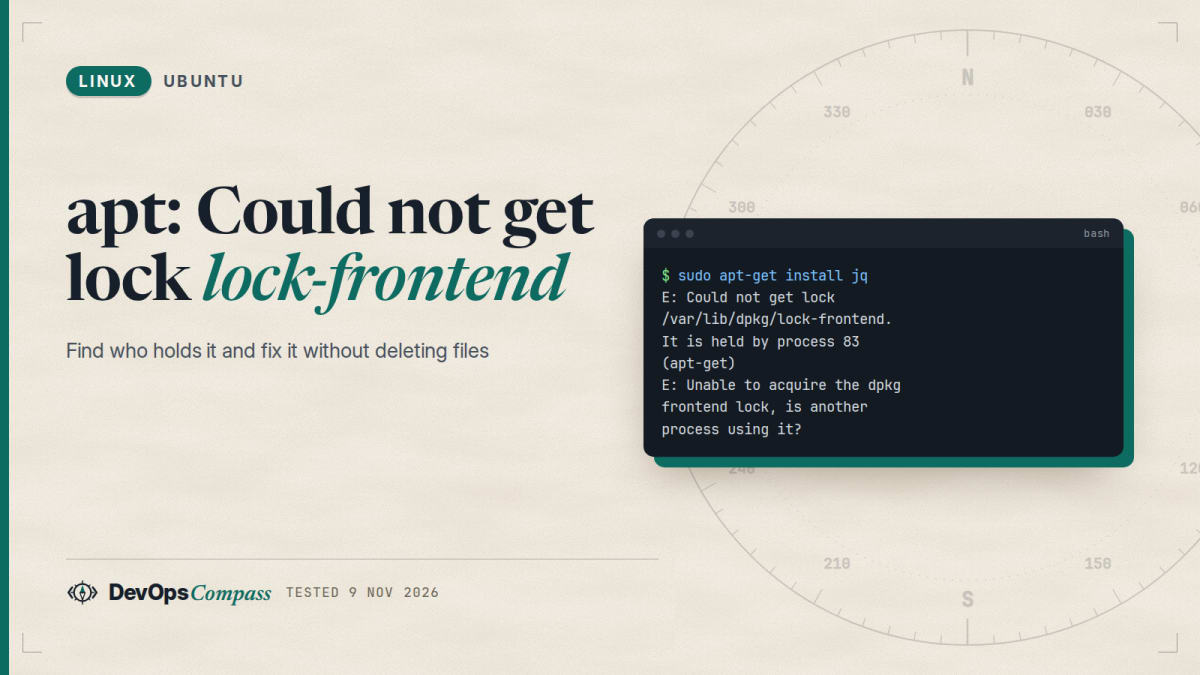
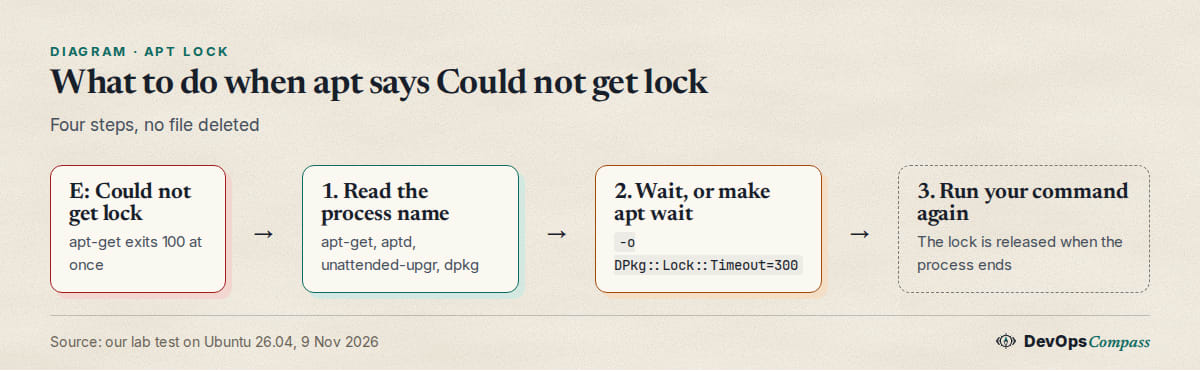
Short answer: another program is running apt or dpkg, and only one can do that at a time. The error names it: It is held by process 83 (apt-get). Wait for it to finish, or run your command with -o DPkg::Lock::Timeout=300 so apt waits for you. Do not delete the lock files.
How this was made: on 9 November 2026 we reproduced each message below in an ubuntu:26.04 container (apt 3.2.0, dpkg 1.23.7, arm64) with a second apt holding the lock. We did not test a real unattended-upgr process.
apt waits, apt-get fails: the error as printed
With another apt-get install running, a second one stops at once:
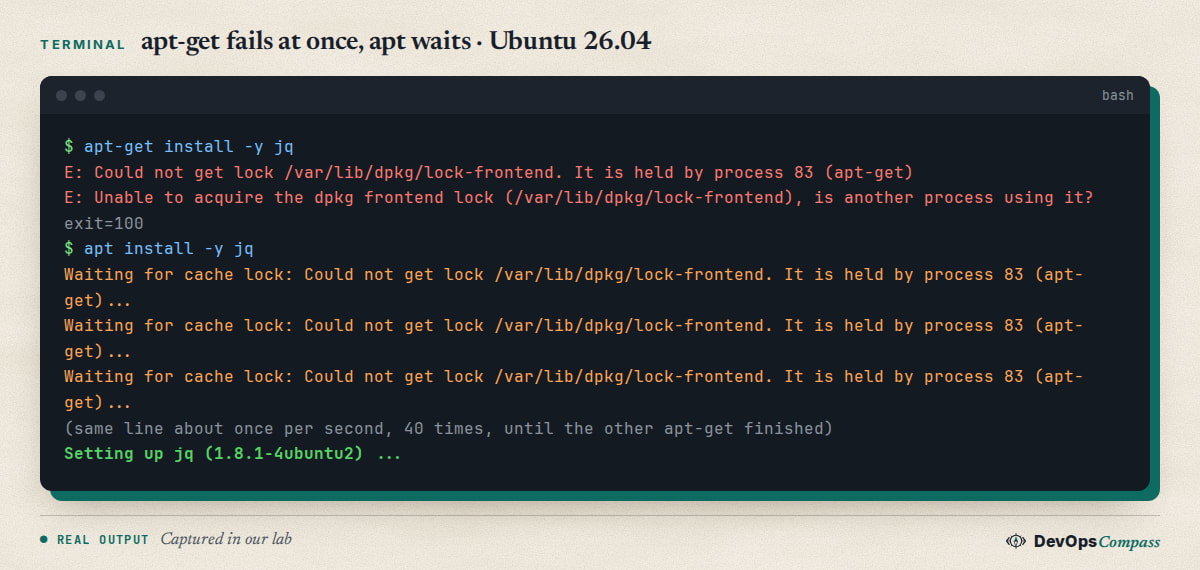
apt-get exits with code 100. The plain apt command does not give up: it prints Waiting for cache lock about once per second and carries on when the other process ends. That difference is why one person sees an error and another sees a hang.
Find who holds the lock
The message already contains the answer: the process number and its name. Look at it before you do anything:
ps -o pid,etime,args -p 83
Common names are apt-get, apt, aptd, synaptic, dpkg and unattended-upgr. The second number, etime, tells you how long it has been running. We could not use fuser or lsof for this inside our container: both printed nothing because they cannot read other processes' file descriptors there. On a normal server they are a common alternative, but we did not verify them.
The lock itself is a normal POSIX lock on /var/lib/dpkg/lock-frontend and on /var/lib/dpkg/lock. /proc/locks showed it as POSIX ADVISORY WRITE owned by the holder's process number.
Held by unattended-upgr: wait or stop it?
Ask Ubuntu has an open question from 29 October 2026: sudo apt upgrade waited more than 15 minutes on unattended-upgr, and nobody has answered yet. Here is the safe order:
- Wait.
unattended-upgris the automatic security updater. It is a real apt run, so it is allowed to hold the lock for as long as the update takes. Slow disks, many packages and a held-up mirror make it longer. - Check that it moves. Read
/var/log/unattended-upgrades/unattended-upgrades.log. New lines mean progress. Our unattended-upgrades setup guide for Ubuntu 26.04 shows what the log looks like. - Stop it only if the log has been silent for a long time. Use the steps from the Debian dpkg FAQ: terminate politely, then finish the half-done work with
sudo dpkg --configure --pending. Never start withkill -9.
We have no number for "how long is too long": it depends on how many packages are waiting. Do not trust a fixed 5 or 15 minutes from old forum posts.
Why it happens right after boot
The Ubuntu Server docs explain it: the timers apt-daily.timer and apt-daily-upgrade.timer start apt jobs. If the machine was off when a timer was due, the timer may fire at the next startup, so unattended upgrades often run just after boot and can block a quick apt command. The docs describe setting Persistent=false on the timers if that bothers you. We did not change it in our lab.
Make apt-get wait instead of fail
For scripts, Ansible tasks, Dockerfiles and cloud-init, add a lock timeout:
sudo apt-get -o DPkg::Lock::Timeout=300 install -y jq
In our test the holder ran for about 60 seconds. With DPkg::Lock::Timeout=90 the second command waited 61 seconds, installed jq and exited 0. If the holder takes longer than the timeout, you get the same error as before. We only used it on the command line. We did not find the option in the apt.conf(5) source of 9 November 2026, so rely on the behaviour we measured.
Are you root?
Two messages look like the lock error but have a simpler cause. Without sudo, apt cannot even open the lock file:
E: Could not open lock file /var/lib/dpkg/lock-frontend - open (13: Permission denied)
E: Unable to acquire the dpkg frontend lock (/var/lib/dpkg/lock-frontend), are you root?
We saw exactly this as the normal user ubuntu, exit 100. Nothing holds the lock. Run the same command with sudo.
dpkg says the same thing
If you run dpkg directly while apt holds the lock, the wording changes but the cause does not:
dpkg: error: dpkg frontend lock was locked by <unknown> process with pid 450
It exited with code 2. The fix is the same: wait for the holder.
Do not delete the lock files
Many answers say sudo rm /var/lib/dpkg/lock-frontend. The files are not the lock. After our holder ended, the lock files were still there, fuser showed nobody, and apt-get install worked. The Debian dpkg FAQ says it plainly: the locks belong to a process and are released when it ends, so a leftover file does not mean a lock is held.
Removing them while apt runs is harmful. We deleted all four lock files with an install in progress:
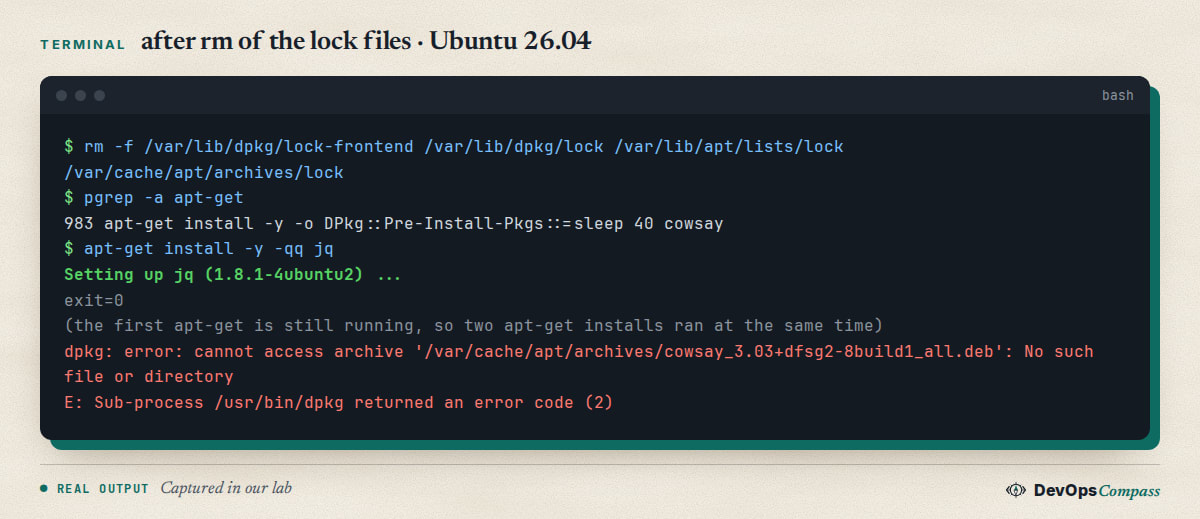
The second apt-get got a fresh lock and ran at the same time. The first install then failed because its downloaded package had gone. Two package managers writing to the same database is how systems end up broken.
Verify and undo
To verify, run your command again. If it starts without E: lines, nothing holds the lock. dpkg --audit should print nothing. Nothing in this post changes the system, so there is nothing to undo; the timeout option exists only for the command that carries it.
FAQ
Can I delete /var/lib/dpkg/lock-frontend?
No. The file stays on disk after the lock is released, and removing it while apt runs let a second install run in parallel in our test. Wait for the process, or terminate it as the Debian FAQ describes.
How long should I wait for the cache lock?
As long as the holder shows progress. Check its log, or ps for CPU time. A normal security update run is not a hang. We tested a 60 second holder, not a stuck one.
What does "It is held by process" mean?
It gives the process number and name of the program that has the lock now. Look it up with ps -p NUMBER.
Why does apt-get fail but apt wait?
In our lab apt-get exited 100 at once, and apt printed Waiting for cache lock until the lock was free. Use -o DPkg::Lock::Timeout=SECONDS to give apt-get the same patience.
What if dpkg was interrupted?
That is a different message: dpkg was interrupted, you must manually run 'dpkg --configure -a'. We could not reproduce it, because our container did not let us kill dpkg. The Debian dpkg FAQ names sudo dpkg --configure --pending as the follow-up after stopping a holder.
Related guides
- Unattended upgrades on Ubuntu 26.04: what the updater does and how to read its logs.
- Upgrade Ubuntu 24.04 to 26.04 on a Server: the release upgrade that also uses apt.
- Install Docker on Ubuntu 26.04 Server: a tested apt-based install.
Sources
- Debian Wiki: dpkg FAQ, what can be done when the dpkg lock is held.
- Ubuntu Server documentation: Automatic updates.
- Ask Ubuntu: Waiting for cache lock, held by process (unattended-upgr).
- Ask Ubuntu: Could not open lock file, Permission denied.
- Ask Ubuntu: dpkg frontend lock was locked by another process with pid.
- Google autocomplete for "could not get lock /var/lib/dpkg/lock-frontend" and "waiting for cache lock" (9 November 2026).
Last verified: November 2026 (9 November 2026, Ubuntu 26.04.1 container, apt 3.2.0, dpkg 1.23.7, arm64). A real unattended-upgr holder, the interrupted-dpkg case and fuser/lsof were not tested.
Header image: Image: DevOpsCompass.
Comments
Post a Comment