
Run Ollama Without a GPU: CPU-Only Docker Setup Guide
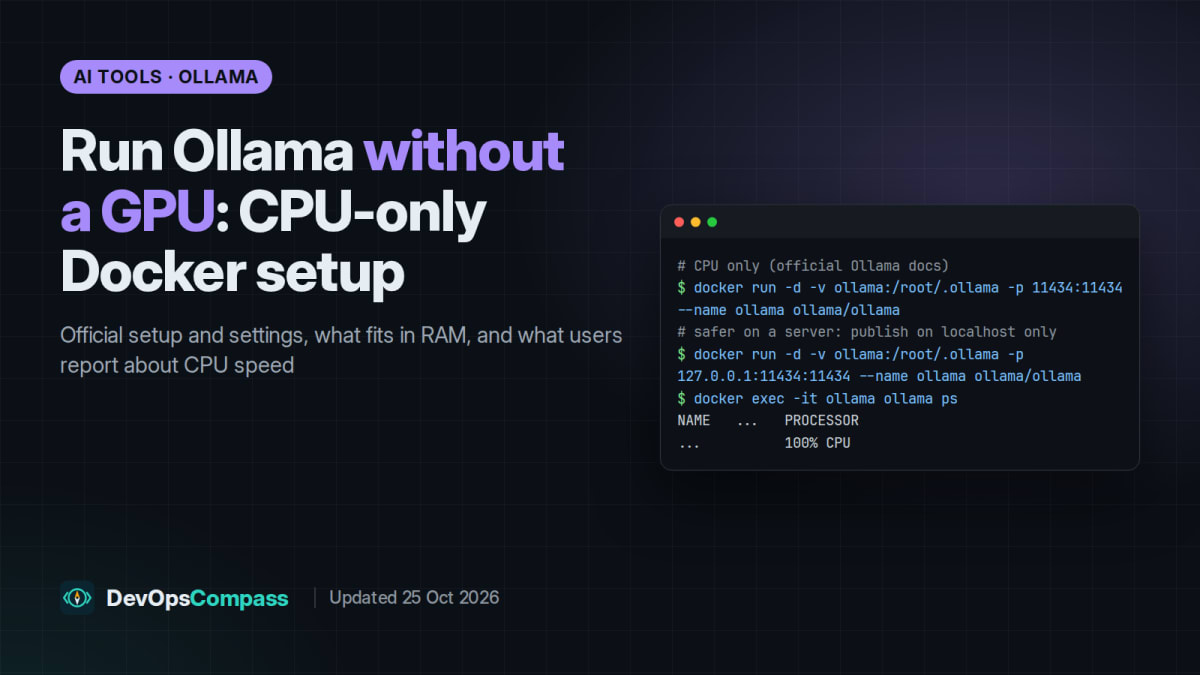
Yes, Ollama runs without a GPU. The official CPU-only Docker command is the normal docker run without --gpus, and the image is published for both amd64 and arm64. The whole model then has to fit in system RAM. Users who run it this way consistently report that small models (about 1B to 4B parameters) are usable on CPU and 7B to 8B models work but are slow, with speed depending mostly on memory bandwidth. On a server, publish the port on 127.0.0.1 only: the local API has no authentication, and Docker-published ports bypass ufw.
People search for "ollama cpu only", "ollama without gpu performance" and "ollama docker compose" because most guides assume an NVIDIA card. This article collects what the official Ollama and Docker documentation says about running on CPU, what users report about real-world speed (with links, so you can judge each report yourself), and our take on how to set it up.
How this article was made: it is a documentation and community roundup. We did not download or run any model for it. The only thing we ran was a syntax check of the Compose file below (docker compose config), without pulling the image.
Official facts
Everything in this section comes from Ollama's and Docker's own documentation, checked on 25 October 2026. The current Ollama release at that date was v0.40.11 (24 October 2026).

Can Ollama run without a GPU?
Yes. The Ollama Docker documentation lists a separate CPU only command:
docker run -d -v ollama:/root/.ollama -p 11434:11434 --name ollama ollama/ollama
GPU support needs extra flags and drivers (--gpus=all with the NVIDIA Container Toolkit, or the rocm image tag for AMD), so without them Ollama runs on the CPU. The GPU page also documents that you can force CPU use on a machine with a GPU by setting an invalid GPU ID such as -1. The ollama/ollama image on Docker Hub is published for amd64 and arm64, and the Linux install docs have a separate ARM64 package, so ARM servers are supported.
To start a model inside the container:
docker exec -it ollama ollama run llama3.2
Publish the port safely
Two documented facts make the default command risky on an internet-facing server:
- Ollama's API docs state: "The local API at
http://localhost:11434does not require authentication." - Docker's firewall documentation explains that for published container ports, "Packets are routed before the firewall rules can be applied, effectively ignoring your firewall configuration" (this is about ufw).
So -p 11434:11434 can expose an unauthenticated API even when ufw looks closed. Bind it to localhost instead:
docker run -d --name ollama \
  -v ollama:/root/.ollama \
  -p 127.0.0.1:11434:11434 \
  --restart unless-stopped \
  ollama/ollama
Docker Compose file
The same setup as a Compose file, with the settings discussed below and resource limits so the model cannot starve other services on the host:
services:
  ollama:
    image: ollama/ollama:latest
    container_name: ollama
    restart: unless-stopped
    ports:
      - "127.0.0.1:11434:11434"   # localhost only: published ports bypass ufw
    volumes:
      - ollama:/root/.ollama
    environment:
      OLLAMA_KEEP_ALIVE: "30m"
      OLLAMA_CONTEXT_LENGTH: "8192"
    deploy:
      resources:
        limits:
          cpus: "4"
          memory: 12g
volumes:
  ollama:
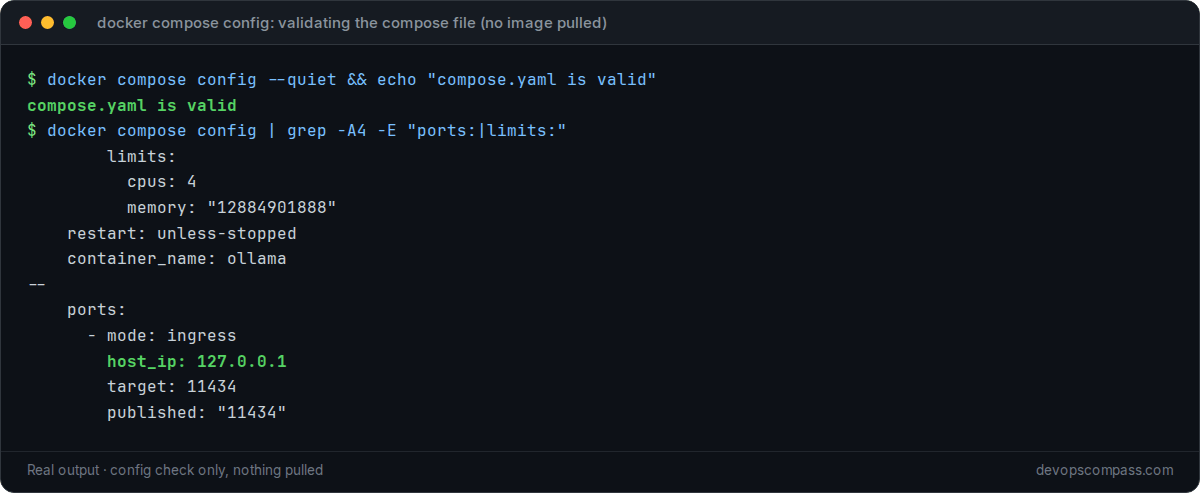
We validated this file with Docker Compose v5.6.0 (docker compose config); it parses, and the port is published on host_ip: 127.0.0.1. We did not start it. Adjust cpus and memory to your server.
Settings that matter on CPU
From the Ollama FAQ and the context-length page:
| Setting | Documented default | What it does |
|---|---|---|
| Context length | 4k tokens below 24 GiB of VRAM (32k from 24 GiB, 256k from 48 GiB) | Set with OLLAMA_CONTEXT_LENGTH or per request with num_ctx. "Setting a larger context length will increase the amount of memory required." |
OLLAMA_KEEP_ALIVE |
5 minutes | How long a model stays in memory after the last request. Per request: keep_alive |
OLLAMA_NUM_PARALLEL |
1 | Parallel requests per model |
OLLAMA_MAX_LOADED_MODELS |
as many as fit in memory | Models loaded at the same time |
OLLAMA_KV_CACHE_TYPE |
f16 |
q8_0 uses about half the KV-cache memory, q4_0 about a quarter; needs Flash Attention |
OLLAMA_HOST |
127.0.0.1:11434 (native install) | Bind address; in Docker, control exposure with the -p mapping |
Check that it runs on the CPU
The FAQ explains that ollama ps has a PROCESSOR column: 100% CPU means the model is loaded entirely in system memory, 100% GPU entirely in VRAM, and a split such as 48%/52% CPU/GPU means partial offload. The CONTEXT column shows the allocated context length.
docker exec -it ollama ollama ps
For timing information, ollama run <model> --verbose prints statistics after each answer, including the eval rate in tokens per second. That is the number to compare when you test models on your own hardware.
How big are the models?
On a CPU-only machine the model has to fit in RAM. The Ollama library lists the download size of every tag. These are the default (quantised) tags of some popular small models:

The download size is a lower bound for memory use: the context (KV cache) needs extra memory, and more so at longer context lengths.
What users report
These are reports from other people, quoted or summarised with links and dates. We have not verified them, hardware differs a lot, and older reports refer to older Ollama versions.
Small models are usable, big ones are slow. The clearest data comes from a 15 May 2026 test on It's FOSS by Bhuwan Mishra, who ran eight models with Ollama on an older Intel i5 laptop (CPU only, about 12 GB RAM, all Q4_K_M). The author reports roughly 34 to 36 tokens/s for Qwen 3 0.6B, 25 to 28 for TinyLlama 1.1B, 18.6 for Gemma 3 1B, about 9.9 for Gemma 4 E2B, 6.9 for Phi 4 Mini 3.8B and about 3.2 for Ministral 3 8B. The author's conclusion: 7B and 8B models give strong output but are too slow for back-and-forth chat (It's FOSS).
"Just slower", say several Hacker News users:
- "Having run ollama on CPU: Yes, it's just slower. Not even intolerably slow IMO, though I used small models and don't mind some turnaround time." (yjftsjthsd-h, June 2024, Hacker News)
- A homelab user runs Ollama in a container on an HP EliteDesk small-form-factor PC and says "7B models run decently fast on CPU-only" (rsolva, November 2023, Hacker News).
- "I can reasonably run (quantized) Mistral-7B on a 16GB machine without GPU, using ollama." (TheMatten, December 2023, Hacker News)
- One developer runs several debate bots on small local models (Gemma, Llama, Granite) in Docker on a CPU-only VPS with 10 vCPUs and 40 GB RAM (7rin0, October 2025, Hacker News).
Others found CPU-only too slow for their use:
- "Using the CPU alone is much slower than running it on any reasonable GPU, and obviously CPU performance varies massively too." The same user adds that a model larger than RAM still runs, "but performance will be terrible" (marmarama, November 2025, Hacker News).
- An owner of a 2015 dual-Xeon server (32 cores, 128 GB RAM) says it "runs models painfully slow (and loud) but they run just fine" (estimator7292, January 2026, Hacker News).
- For code completion, one user gave up: "it's just garbage without GPU accel" (mvieira38, April 2025, Hacker News).
- With only 8 GB of RAM and no GPU, "latency would be severely limiting", according to another commenter (Archerlm, April 2026, Hacker News).
Alternatives users mention: one HN user suggests llamafile "may have better CPU-only performance than ollama" (yjftsjthsd-h, November 2024, Hacker News). We have not compared them.
Reddit's r/LocalLLaMA has many similar threads, but Reddit blocks the tools we use for research, so we do not quote it here.
Our take
This is our opinion, based on the official facts and the reports above, not on our own benchmarks:
- CPU-only Ollama is fine for small models and background jobs. If you want a private assistant for short questions, summaries of short texts, tagging or scripts, a 1B to 4B model on a recent CPU is a reasonable start. The It's FOSS numbers for 1B models (around 18 to 28 tokens/s on an older laptop) match the "just slower" reports.
- Do not plan on 7B+ models for interactive chat on a small CPU. Reports put them in the low single digits of tokens per second on ordinary hardware. They are still useful for jobs where nobody waits for the answer.
- Pick by RAM first. Use the download sizes above and leave headroom for the context and for everything else on the server. The Compose limits help here.
- Keep the context short. The default 4k context on a CPU-only machine is sensible; raising it costs memory, and long prompts mean more work for the CPU before the first word appears.
- Security first on servers. Localhost binding plus an SSH tunnel or an authenticated reverse proxy. The API has no login of its own.
- Measure on your own box. Run
ollama run <model> --verbosewith a prompt like yours and compare theeval rate. That number tells you more than any table, including the ones above.
What we did not test
- We did not download or run any model for this article. All speed figures are user reports from the linked sources.
- We did not start the Ollama container. We only checked that the Compose file is valid (
docker compose config, no image pulled). - We did not test GPUs, ARM boards such as Raspberry Pi, KV-cache quantisation, or llamafile.
FAQ
Can Ollama run without a GPU?
Yes. Ollama's Docker documentation has a dedicated CPU-only command, which is the normal docker run without --gpus. The model then runs from system RAM. Users report that small models are usable this way and larger ones are slow.
What are the best Ollama models for CPU only?
Small ones. In user tests, models around 0.6B to 1B parameters (Qwen 3 0.6B, TinyLlama, Gemma 3 1B) were the most responsive on CPU, 3B to 4B models were slower but usable, and 7B to 8B models were too slow for chat. Choose by your RAM using the library's download sizes.
How fast is Ollama without a GPU?
It depends on the CPU, memory speed and model size. One published CPU-only test on an older Intel laptop reported about 18 to 28 tokens per second for 1B models and about 3 to 4 tokens per second for 7B to 8B models. Treat these as examples, not guarantees.
What are the CPU and RAM requirements for Ollama?
The Ollama docs do not publish a minimum CPU or RAM figure. In practice the model must fit in memory: check the download size on the model's library page and add room for the context and the operating system. Larger context lengths need more memory, according to the docs.
Does Ollama work in Docker on ARM64?
Yes. The ollama/ollama image is published for amd64 and arm64, and the Linux docs include an ARM64 package for native installs. The CPU-only command is the same on both.
Why does ollama ps show 100% CPU even though I have a GPU?
100% CPU means the model was loaded into system memory. In Docker the usual cause is a container started without GPU access, for example without --gpus=all and the NVIDIA Container Toolkit. The Ollama docs also note that after a suspend and resume, Linux may fail to detect an NVIDIA GPU and fall back to the CPU.
How do I change the context length in Ollama?
Set OLLAMA_CONTEXT_LENGTH for the server (for example in the Compose file) or num_ctx per API request. Without a large GPU the default is 4k tokens. A longer context needs more memory and makes long prompts slower on a CPU.
Is it safe to expose Ollama port 11434?
Not directly. The docs state that the local API does not require authentication, and Docker-published ports bypass ufw. Publish the port as 127.0.0.1:11434:11434 and use an SSH tunnel or an authenticated reverse proxy for remote access.
Related guides
- Fixing the OpenSSH post-quantum key exchange warning: if you reach your Ollama server over an SSH tunnel, keep its SSH stack current.
- Upgrading an Ubuntu server from 24.04 to 26.04 LTS: a clean, current host before you add services like Ollama.
Sources
Official documentation (checked 25 October 2026):
- Ollama docs: Docker (CPU-only, NVIDIA and AMD commands).
- Ollama docs: FAQ (keep-alive,
OLLAMA_HOST, parallelism,ollama psPROCESSOR column, KV cache types). - Ollama docs: Context length (VRAM-based defaults, memory impact).
- Ollama docs: GPU (forcing CPU, suspend/resume fallback) and Linux (ARM64 package).
- Ollama docs: API authentication (local API needs no authentication).
- Ollama: v0.40.11 release and Docker Hub image (amd64 and arm64).
- Ollama library tag pages: gemma3, llama3.2, qwen3.5, gemma4.
- Docker docs: Packet filtering and firewalls (published ports and ufw).
User reports and coverage (not verified by us): It's FOSS test of 8 models on CPU (15 May 2026) and the Hacker News comments linked in "What users report".
Last verified: October 2026 (25 Oct 2026, Ollama v0.40.11 docs). Documentation roundup: no models were run for this article.
Header image: Image: DevOpsCompass.
Comments
Post a Comment